Uncontrolled AI use
Teams already use AI assistants with personal accounts, out of the company's sight. Banning them does not stop that use; it makes it invisible.
AI governance platform
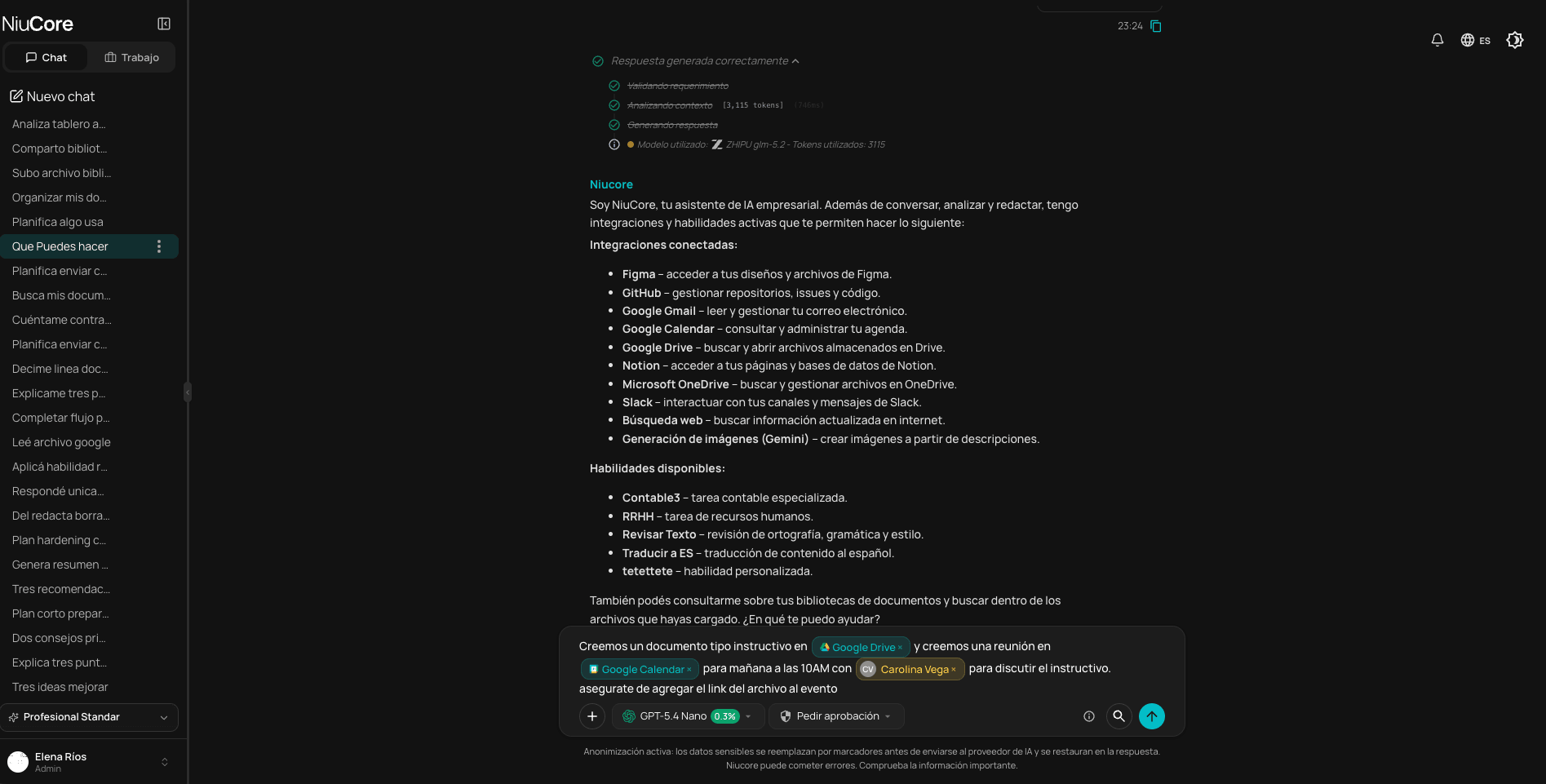
NiuCore gives your teams the leading AI models from a single workspace, anonymizes sensitive information before it reaches any provider, and lets you set rules by area and see each person's usage.
The problem
Governing AI is not banning it: it means deciding who uses it, with what information and under which rules, and being able to verify it.
Teams already use AI assistants with personal accounts, out of the company's sight. Banning them does not stop that use; it makes it invisible.
Contracts, customer data and internal documents end up in tools the company does not manage.
Without common rules, the quality and tone of what AI produces depend on who uses it.
Scattered subscriptions per person and per provider, without knowing who uses what or what it costs.
Each suite gives access to one lab's models; using several means paying a subscription for each.
Legal, sales and finance need different models, knowledge and restrictions.
How it works
Members, models, connectors and libraries for each team, on top of the organization's baseline.
Instructions applied automatically to every conversation, and reusable capabilities for recurring tasks.
They choose among the models enabled for their area, or let Auto mode pick one for the task.
Three layers replace sensitive information with placeholders before the request reaches the provider, and restore it in the answer.
Consumption by person, model and area, in real time.
| Criterion | What to ask | How NiuCore handles it |
|---|---|---|
| Data protection | Does sensitive information reach the model provider as is? | Active anonymization in three layers, included in every license; the link between placeholder and real data stays in NiuCore. |
| Model access | Is it limited to a single lab's models? | Models from OpenAI, Anthropic, Google, xAI and other labs, with Auto mode to choose by task. |
| Control by area | Can each team have different permissions? | Each area defines its members, models, connectors, libraries, rules and skills. |
| Standardization | How do you make sure everyone works with the same criteria? | Rules applied automatically and reusable skills per area. |
| Usage and spend visibility | Does it show who uses AI, with which model and how much? | Consumption panel by person, model and area, with a monthly allowance per license. |
| Integration with daily work | Does it connect to the tools the company already uses? | Connectors such as Gmail, Google Drive, Slack, Notion and OneDrive, with approval before running actions, and a public API. |
| Language, currency and availability | Is it available in Spanish, with prices in local currency? | Product in Spanish; prices in Colombian pesos, VAT included. Licenses can currently be purchased in Colombia, and the Free Trial is available throughout Latin America. |
General evaluation criteria. Each organization should adapt them to its internal policies, its industry's regulation and the legal advice that applies.
Who it is for
Adopt AI across the company with clear rules and visible cost, without slowing teams down.
A single control point for models, access, connectors and data protection.
Legal, sales, finance, HR or healthcare: each with its own knowledge, models and restrictions.
Every feature in every license, with active anonymization included.